In today’s fast paced digital world, texting has evolved far beyond the simple SMS messages we once relied on.
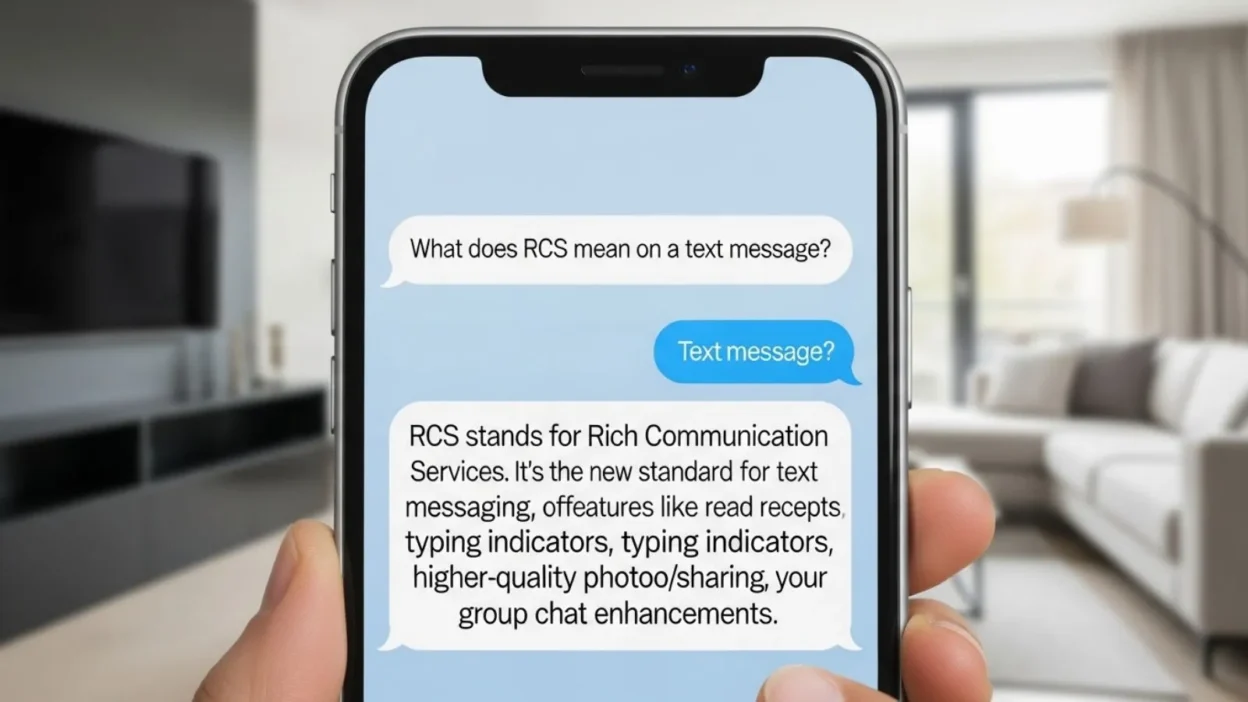
One term you might have seen popping up in your messaging app is RCS, which stands for Rich Communication Services.
But what does RCS mean on a text message, and why should you care? Simply put, RCS is the next generation messaging standard designed to replace traditional SMS and MMS.
It brings a host of features that make texting more interactive and engaging, including read receipts, typing indicators, high-resolution media sharing, and improved group messaging.
Unlike SMS, which is limited to plain text, RCS allows you to communicate more like you would on popular messaging apps such as WhatsApp or iMessage.
Understanding RCS is essential for anyone looking to make the most of their messaging experience and stay up to date with the latest communication technology trends.
What RCS Stands For
RCS stands for Rich Communication Services, a modern messaging protocol designed to upgrade traditional SMS and MMS. While SMS (Short Message Service) has been the backbone of texting for decades, it is limited to plain text and small character counts. MMS (Multimedia Messaging Service) improved this slightly by allowing images and videos, but both lacked advanced features common in today’s popular messaging apps. RCS was introduced to bridge this gap, providing a richer, more interactive texting experience.
Unlike SMS, which relies solely on cellular networks, RCS uses internet connectivity, either through mobile data or Wi-Fi, allowing messages to carry high-resolution media, typing indicators, and read receipts. This makes conversations more dynamic and closer to the experience of apps like WhatsApp, Telegram, or iMessage.
RCS is backed by the GSMA (Global System for Mobile Communications) and is supported by major carriers and Android devices, particularly through Google’s Messages app. It is sometimes referred to as “Chat features” on smartphones, depending on the device and carrier. With RCS, users can enjoy group chats, location sharing, and suggested actions like quick replies or event invites, which were previously unavailable in SMS.
In short, RCS transforms simple texting into a richer, more connected experience. By understanding what RCS means and how it works, you can take advantage of its features to communicate more effectively and enjoyably.
How RCS Works
RCS, or Rich Communication Services, works by upgrading traditional text messaging (SMS) into a more interactive, internet-based communication platform. Unlike SMS, which relies solely on a cellular network, RCS uses mobile data or Wi-Fi to send and receive messages, allowing it to carry richer content such as high-resolution images, videos, GIFs, and even documents. This is why RCS is sometimes referred to as “Chat features” on Android devices, especially in apps like Google Messages.
One of the key innovations of RCS is its support for interactive features. For example, it shows typing indicators, letting you know when someone is responding in real time. It also provides read receipts, so you can see when your message has been seen. Group chats are more reliable and flexible compared to traditional MMS, allowing smoother communication with multiple participants. RCS even supports smart replies and suggested actions, making it easier to respond quickly or take actions like scheduling events or opening a shared link.
To use RCS, both the sender and receiver must have compatible devices and support from their carrier. On Android, most modern phones use the Google Messages app to enable RCS automatically, while carriers gradually expand support worldwide. Essentially, RCS transforms texting from a simple text exchange into a richer, more engaging conversation experience—bringing messaging closer to the features of popular instant messaging apps.
RCS vs SMS vs MMS
Understanding the difference between RCS, SMS, and MMS is essential to see why RCS is changing the way we text. While all three are messaging methods, they vary widely in features, speed, and overall user experience.
SMS (Short Message Service) is the original text messaging standard. It allows only plain text and has a character limit of 160 per message. SMS does not support high-resolution images, videos, or advanced features like read receipts or typing indicators. It works on almost all phones and networks but offers a very basic messaging experience.
MMS (Multimedia Messaging Service) was developed as an extension of SMS. MMS allows sending images, videos, audio files, and longer text messages. However, MMS has limitations: media quality is often reduced, delivery can be slower, and it lacks modern features like read receipts, typing indicators, or interactive group chats.
RCS (Rich Communication Services) is the next-generation messaging standard designed to replace SMS and MMS. Using internet connectivity (Wi-Fi or mobile data), RCS enables high-resolution media sharing, read receipts, typing indicators, and richer group chats. It also supports interactive features like suggested replies, location sharing, and event invites. Essentially, RCS offers a messaging experience similar to popular apps like WhatsApp or iMessage, while still being integrated into your default messaging app.
In short, while SMS is basic and MMS adds media, RCS provides a modern, feature-rich messaging experience. Its adoption is growing, especially on Android devices, bridging the gap between traditional texting and instant messaging apps.
Benefits of Using RCS
RCS, or Rich Communication Services, brings a host of advantages that make texting faster, more interactive, and enjoyable compared to traditional SMS or MMS. One of the primary benefits is enhanced messaging features. With RCS, users can see typing indicators, so you know when someone is responding, and read receipts, which let you know when your messages have been seen. These features create a more dynamic and connected conversation experience.
Another major advantage is high-quality media sharing. Unlike MMS, which often compresses images and videos, RCS allows sending high-resolution photos, videos, GIFs, and documents without losing quality. Group chats also become easier and more reliable, with better support for multiple participants, making it ideal for family, friends, or work-related communication.
RCS also supports smart replies and suggested actions, helping users respond quickly or perform tasks like scheduling events or opening shared links. Location sharing is another useful feature, making it easier to coordinate meetups or share directions.
Finally, RCS is built into many Android messaging apps, so users don’t need to download third-party apps to enjoy these features. While it still has some limitations, RCS clearly enhances everyday communication by combining the simplicity of SMS with the advanced features of modern messaging apps. For anyone looking for a richer, faster, and more interactive texting experience, enabling RCS is a game-changer.
Limitations of RCS
While RCS (Rich Communication Services) offers many advantages over traditional SMS and MMS, it still comes with several limitations that users should be aware of. One of the main challenges is device and carrier compatibility. Not all smartphones support RCS, and even when the device is compatible, the feature must also be supported by the user’s mobile carrier. This means that some users may not be able to enjoy the full range of RCS features.
Another limitation is cross-platform functionality. RCS works primarily on Android devices and has limited support on iOS. If you send an RCS message to an iPhone, it usually defaults back to SMS, which means some features like read receipts or typing indicators may not appear. This can create inconsistencies when messaging people with different devices.
Security is another concern. While RCS is more secure than SMS, it does not always offer end-to-end encryption, depending on the carrier and messaging app used. This means that messages could potentially be intercepted, making it less secure than apps like WhatsApp or iMessage that have default encryption.
Lastly, RCS requires an internet connection—either mobile data or Wi-Fi—to function fully. Unlike SMS, which works anywhere with a cellular signal, RCS can fail in areas with poor connectivity.
In summary, while RCS improves texting with advanced features, it is not yet perfect. Users may face compatibility issues, limited cross-platform support, security concerns, and reliance on data, which are important to consider before fully depending on RCS for messaging.
How to Enable RCS on Your Phone
Enabling RCS (Rich Communication Services) on your phone is a straightforward process, especially on modern Android devices. Most Android phones use the Google Messages app, which supports RCS by default. Here’s how you can enable it:
- Install or Update Google Messages – Ensure that you have the latest version of the app from the Google Play Store. Older versions may not support RCS features.
- Set Google Messages as Default – Open the app, and if prompted, set it as your default messaging app. RCS features only work with the default messaging app.
- Enable Chat Features – In the Messages app, go to Settings > Chat features. Toggle the switch to enable them. You may need to verify your phone number. Once activated, your status should show “Connected”.
- Check RCS Status – The app will indicate if RCS is active with a “Chat features connected” status. This confirms that you can send and receive RCS messages.
Troubleshooting Tips:
- Ensure your carrier supports RCS. Some networks may require specific plans or settings.
- Use a stable mobile data or Wi-Fi connection, as RCS relies on internet connectivity.
- Restart your phone or update your messaging app if chat features don’t activate.
- If messaging an iPhone user, RCS features may not work, and messages will default to SMS.
By following these steps, you can enjoy high-quality messaging, including read receipts, typing indicators, and rich media sharing, directly from your default messaging app. Enabling RCS ensures a more interactive and modern texting experience.
Security Considerations of RCS
While RCS (Rich Communication Services) offers advanced features that make texting more interactive, it’s important to understand its security aspects. Unlike SMS, which is unencrypted and can be intercepted more easily, RCS provides some improvements in security. However, end-to-end encryption is not yet standard across all RCS messages, which means that in certain cases, your messages could potentially be accessed by your carrier or other intermediaries.
Some messaging apps, like Google Messages, are starting to introduce end-to-end encryption for one-on-one RCS chats, but this feature is not available for group chats or messages sent to users whose devices or carriers don’t support it. Therefore, RCS is safer than traditional SMS but not as secure as fully encrypted apps like WhatsApp or iMessage.
Other security considerations include internet dependency. Since RCS relies on data or Wi-Fi, using unsecured public Wi-Fi networks may expose your messages to potential threats. Users should be cautious when sharing sensitive information over RCS, especially in areas with unreliable networks.
Finally, always keep your messaging app updated, as security patches are frequently released to fix vulnerabilities. Be mindful of permissions granted to the app, and avoid clicking on suspicious links or downloading unknown files, even through RCS messages.
In summary, while RCS enhances messaging features, users should be aware of its partial encryption, network dependency, and potential vulnerabilities. Understanding these factors ensures you can safely enjoy the benefits of RCS without compromising privacy.
RCS and Cross Platform Messaging
One of the current challenges of RCS (Rich Communication Services) is its cross-platform compatibility, particularly between Android and iOS devices. RCS is primarily designed for Android phones and is supported by most carriers worldwide through apps like Google Messages. This allows Android users to enjoy high-quality media sharing, typing indicators, read receipts, and interactive features.
However, when messaging someone on an iPhone, RCS features are usually unavailable. iPhones rely on iMessage for advanced messaging features, and when an Android user sends an RCS message to an iPhone, the message often defaults to SMS or MMS. This means that features like read receipts, typing indicators, and high-resolution media may not function, creating an inconsistent experience across platforms.
To navigate this limitation, Android users may notice that messages to iPhones appear as standard text messages, and rich features like group chat enhancements or suggested replies are not available. Despite this, RCS still provides significant advantages when communicating with other Android users who have chat features enabled.
Some companies and carriers are working toward wider adoption of RCS and potential cross-platform solutions, but universal compatibility remains a challenge. For now, RCS is best enjoyed within the Android ecosystem, while iPhone users continue to rely on iMessage for similar features.
In summary, while RCS enhances messaging within Android devices, cross-platform limitations can affect communication with iPhone users. Understanding this ensures users know what to expect when sending messages across different operating systems.
Future of RCS
The future of RCS (Rich Communication Services) looks promising as it continues to gain adoption worldwide. Carriers and technology companies, particularly Google, are actively promoting RCS as the next-generation replacement for SMS and MMS. Unlike traditional texting, RCS offers a richer, more interactive experience without the need for third-party apps, making it an appealing option for both users and mobile carriers.
One of the key developments driving RCS adoption is global standardization by the GSMA, which ensures that carriers across different countries can implement RCS in a consistent way. As more carriers support RCS, users can expect faster, higher-quality messaging and a more uniform experience across devices.
RCS also aims to compete with popular messaging apps like WhatsApp, Telegram, and iMessage by integrating features such as read receipts, typing indicators, group chat enhancements, and high-resolution media sharing directly into the default messaging app. Over time, RCS could become the default messaging standard on Android devices worldwide, reducing the reliance on third-party apps for daily communication.
Another potential advancement is the expansion of end-to-end encryption, which will improve security and make RCS even more appealing for private conversations. As technology evolves, RCS could also introduce additional smart features, like AI-powered suggested replies, automated responses, and seamless integration with other apps and services.
In summary, RCS is positioned to transform mobile messaging by combining the simplicity of SMS with the advanced capabilities of modern messaging apps. With increasing carrier support and technological improvements, its adoption is expected to grow significantly in the coming years.
Common FAQs About RCS
As RCS (Rich Communication Services) becomes more common, many users have questions about how it works and what to expect. Here are some of the most frequently asked questions:
1. Does RCS work on iPhone?
RCS is primarily designed for Android devices. When messaging an iPhone user, RCS features typically do not work, and the message defaults to SMS or MMS. iPhone users rely on iMessage for similar rich messaging features.
2. Is RCS free to use?
Yes, RCS itself does not have a separate cost. Messages are sent over mobile data or Wi-Fi, so normal data charges may apply depending on your plan.
3. How can I tell if a message is RCS or SMS?
In the Google Messages app, RCS messages are often labeled as “Chat messages”, while SMS or MMS appears as “Text messages”. Features like read receipts, typing indicators, and high-quality media also indicate that a message is RCS.
4. Is RCS secure?
RCS offers more security than SMS, but end-to-end encryption is not always available, especially for group chats. It is safer than SMS but not as secure as apps like WhatsApp or iMessage.
5. Do I need to enable RCS manually?
On most modern Android devices, RCS is enabled automatically via Google Messages. However, you may need to enable chat features in settings if it is not active.
6. Can RCS work without internet?
No. RCS requires a mobile data or Wi-Fi connection to function fully. Without an internet connection, messages will usually default to SMS.
Conclusion:
RCS, or Rich Communication Services, represents the future of mobile messaging by offering a much richer and more interactive experience than traditional SMS and MMS.
With features like read receipts, typing indicators, high resolution media sharing, group chat enhancements, and suggested replies, RCS allows users to communicate more efficiently and enjoyably.
Unlike SMS, which is limited to plain text, RCS transforms everyday texting into a dynamic experience similar to popular messaging apps like WhatsApp or iMessage.
Despite its many advantages, RCS still has some limitations. Its cross-platform compatibility is primarily limited to Android devices, meaning iPhone users may not receive the full benefits.
Security is improving but not yet fully end to end encrypted in all cases, especially in group chats. Additionally, RCS requires a mobile data or Wi-Fi connection, unlike SMS, which can work in any area with cellular coverage.
However, the growing adoption of RCS by carriers and the global standardization efforts led by the GSMA suggest a bright future for this messaging protocol.
As more users and carriers adopt RCS, it could eventually become the default messaging standard worldwide, bridging the gap between traditional texting and modern instant messaging.
Discover More Aericle:
- What Does PM Mean? A Simple Guide to Its Meaning
- What Does PS Mean in a Letter? Definition, History, and Examples