
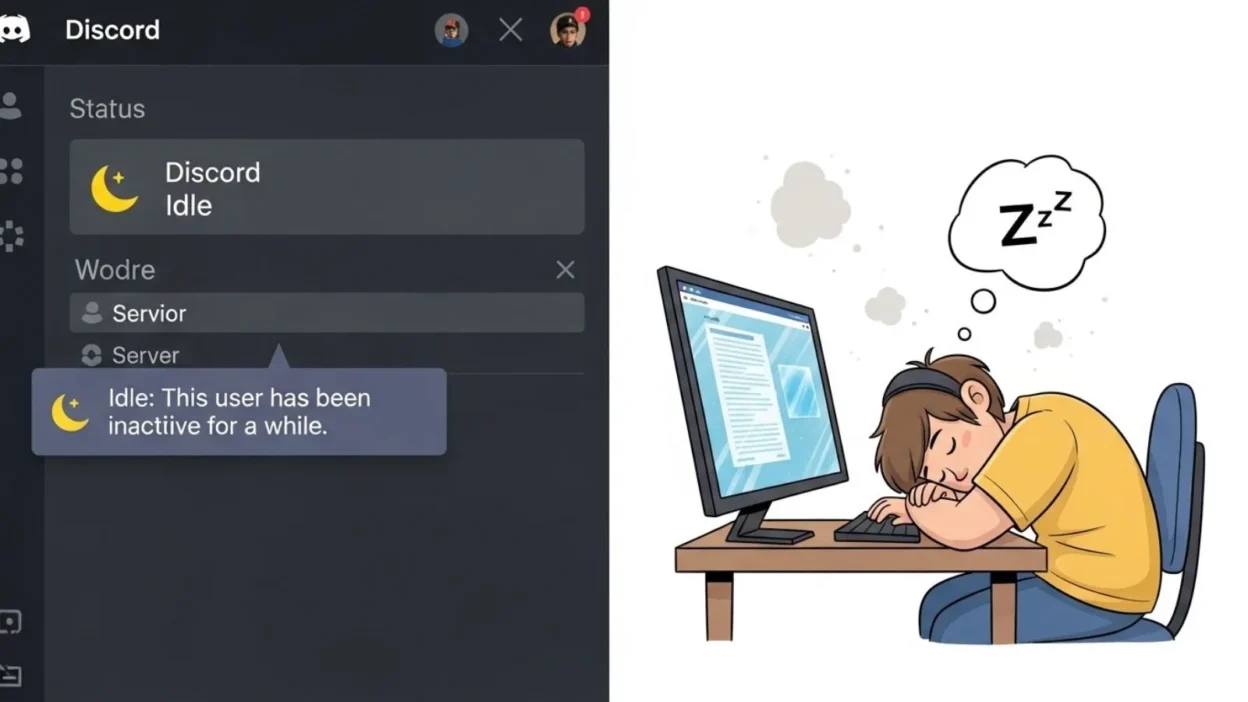
Discord has become one of the most popular communication platforms for gamers, communities, and professionals alike.
If you’re chatting with friends, participating in servers, or collaborating on projects, understanding Discord’s status indicators is key to smooth communication.
One status you may notice is Idle, often represented by a small yellow crescent moon icon next to a user’s name. But what exactly does it mean when someone is Idle on Discord?
Is the person away, busy, or still active? Knowing the answer can help you manage expectations when messaging friends or teammates and improve your overall Discord experience.
In this article, we’ll break down everything about Discord’s Idle status from its meaning and automatic triggers to how you can set it manually. By the end, you’ll have a clear understanding of this status and know how to use it effectively for better online communication.
What Does Idle Mean on Discord?
On Discord, Idle is one of the four main status indicators, alongside Online, Do Not Disturb (DND), and Invisible. When a user’s status is set to Idle, it usually means they are temporarily away from their device or inactive. Visually, this status is represented by a yellow crescent moon icon next to the username, making it easy for others to identify who might not respond immediately.
Discord automatically changes a user’s status to Idle after a period of inactivity, typically around 5–10 minutes. This feature ensures that your friends or team members can see when you are away without having to guess. Interestingly, users can also manually set their status to Idle if they want to appear away while still being online. This can be useful in situations like taking a short break, focusing on work, or stepping away from the keyboard during gaming sessions.
Understanding the Idle status is important because it helps manage communication expectations. For example, if someone is Idle, they may not respond instantly to messages or mentions. However, being Idle does not mean the person is offline—they can still receive messages and notifications. By recognizing and respecting the Idle status, you can avoid misunderstandings, reduce frustration, and maintain smoother interactions on Discord.
How Discord Determines Idle Status
Discord uses a combination of automatic detection and manual settings to determine when a user’s status is Idle. By default, if a user remains inactive for a certain period—usually around 5–10 minutes—Discord automatically switches their status from Online to Idle. Inactivity can include not moving the mouse, not typing, or not interacting with the Discord app. This automatic feature helps friends and server members understand when someone might be away without having to ask.
In addition to automatic Idle, Discord allows users to manually set their status to Idle. This is useful when you want to indicate that you are temporarily unavailable, even if you are actively using your device. For example, you might set your status to Idle while focusing on a work task, taking a break, or attending a meeting. Manual Idle gives you control over how others perceive your availability.
It’s also worth noting that Idle status behaves slightly differently across desktop and mobile platforms. On desktop, the automatic Idle timer is precise and consistent, while on mobile devices, status changes may depend on app activity, screen lock, or connectivity. Regardless of the platform, the key purpose remains the same: letting others know that you are temporarily away and may not respond immediately.
Understanding both automatic and manual Idle settings ensures that you can communicate your availability clearly and interpret other users’ status accurately, preventing confusion and improving interaction in servers and private chats.
Why the Idle Status Exists
The Idle status on Discord serves an important purpose: it helps users communicate their availability without saying a word. In busy servers or group chats, it can be difficult to know whether someone is actively online or simply away. The Idle indicator, marked by a yellow crescent moon, provides a visual cue that someone may not respond immediately.
One of the main reasons for Idle is managing expectations. Friends, teammates, and server members can see at a glance who is currently available and who is away, reducing frustration from delayed replies. For example, if a friend is marked Idle, you know they may be reading messages but not actively responding. In professional or community servers, this transparency is especially helpful for planning discussions, meetings, or collaborative tasks.
Another reason Idle exists is to help keep Discord organized. In large servers with dozens or even hundreds of members, knowing who is active versus away allows users to prioritize communication. It prevents unnecessary pings to users who are temporarily away and ensures that conversations reach the right people at the right time.
Finally, Idle status promotes healthy digital boundaries. Not every moment online requires immediate responses. By automatically or manually setting yourself to Idle, you can step away, focus on tasks, or take a break without worrying about appearing offline or unresponsive. In short, Idle is a simple but powerful tool that enhances communication clarity and personal time management on Discord.
How to Set and Change Your Status on Discord
Discord makes it simple to manage your availability through status indicators, including Idle. Whether you want to appear away, online, or invisible, setting your status correctly ensures others understand your availability.
On Desktop:
- Open Discord and look at the bottom-left corner where your profile picture is displayed.
- Click your profile picture, and a status menu will appear.
- Select one of the options:
- Online – You are active and available.
- Idle – Temporarily away or inactive.
- Do Not Disturb (DND) – Notifications are muted.
- Invisible – Appear offline while still using Discord.
- Optionally, click “Set a custom status” to add a short message, like “Away for lunch” or “In a meeting.”
On Mobile:
- Open the Discord app and tap your profile icon at the bottom-right.
- Tap “Set Status.”
- Choose from Online, Idle, DND, or Invisible.
- Add a custom message if desired.
Manually setting your status is useful when you know you’ll be away but still want to appear online, or if you want to provide context for your absence. Meanwhile, Discord’s automatic Idle feature will change your status after a period of inactivity, ensuring your friends or team members are aware you’re temporarily away.
By understanding how to set and manage your status, you can communicate your availability clearly, avoid missed messages, and maintain smooth interactions in servers, chats, and group discussions.
Practical Uses of Idle Status on Discord
The Idle status on Discord isn’t just a passive indicator—it has practical applications that make communication smoother and more efficient. Whether you’re gaming, studying, or working, understanding when and how to use Idle can improve your online experience.
For gamers, Idle can help prevent distractions during gameplay. If a friend is marked Idle, it signals that they might be away from their keyboard or focusing on another game task, so you don’t expect an immediate response. Similarly, streamers can use Idle to indicate short breaks without having to log out entirely.
In work or study environments, Idle helps manage productivity. When collaborating on Discord for projects, Idle indicates to team members that someone is temporarily unavailable but still present. This can reduce unnecessary pings and interruptions, allowing users to focus on tasks without feeling disconnected from the group.
For community servers, Idle provides transparency. Admins and moderators can quickly see which members are active or temporarily away. This is particularly helpful during events, meetings, or server activities where coordination matters.
Idle also supports healthy digital boundaries. By appearing Idle, you can step away from Discord without seeming completely offline, which helps manage social interactions and gives you a chance to recharge without missing messages.
Overall, the Idle status is a small but powerful tool for effective communication, time management, and reducing misunderstandings on Discord. By leveraging it strategically, you can improve your interactions across personal, social, and professional servers.
Common Questions About Idle on Discord
Many Discord users have questions about the Idle status, especially if they are new to the platform. Understanding how it works can prevent confusion and improve communication.
1. Can someone appear Idle but still be active?
Yes. Users can manually set their status to Idle even if they are actively using Discord. This might be done to indicate they are busy or want to focus without interruptions.
2. Does Idle affect notifications or messages?
No. Users marked as Idle will still receive messages and notifications. The status only signals that a response may not be immediate—it does not block interactions.
3. How long before Discord sets you to Idle automatically?
Typically, Discord will automatically switch a user to Idle after 5–10 minutes of inactivity. This includes not typing, moving the mouse, or interacting with the app. Mobile devices may have slightly different timing depending on app activity or screen lock.
4. Can others force your status to Idle?
No. Your status is controlled by Discord’s automatic timer or your manual selection. Other users cannot change your status.
5. What is the difference between Idle and Invisible?
Idle shows you are away but still visible, while Invisible makes you appear offline even though you are actively using Discord. This distinction helps manage expectations for replies.
Tips to Optimize Your Discord Status
Using the Idle status effectively can make your Discord experience smoother and more organized. Here are some practical tips to optimize your status and communicate your availability clearly.
1. Combine Idle with a Custom Status Message
Adding a custom message along with your Idle status gives context. For example, you could write, “Away for lunch” or “In a meeting.” This helps friends and teammates understand why you might not respond immediately, reducing confusion.
2. Decide When to Set Idle Manually
While Discord automatically changes your status after inactivity, manually setting Idle can be useful if you know you’ll be away temporarily but still want to appear online. For example, before stepping away from your computer during a work session or taking a short break while gaming.
3. Use Idle Strategically in Busy Servers
In large servers, frequent pings and notifications can be distracting. Using Idle strategically signals that you are temporarily unavailable, allowing you to focus on other tasks without completely disconnecting.
4. Respect Others’ Idle Status
When someone appears Idle, avoid expecting immediate replies. Understanding this small visual cue improves communication and prevents frustration.
5. Update Status Across Devices
If you use Discord on both desktop and mobile, make sure your status reflects your availability consistently. Discord may automatically adjust Idle differently on mobile versus desktop, so checking your status ensures accurate visibility.
Examples and Scenarios of Using Idle on Discord
Understanding the Idle status is easier when you see it in real-life situations. Here are some common scenarios where Idle helps manage communication effectively on Discord.
1. Gaming with Friends
Imagine you’re in a multiplayer game, and one of your friends is marked Idle. This indicates they may be away from their keyboard or focusing on a game task. Knowing this prevents you from expecting an immediate response, reducing frustration and keeping the gaming session smooth.
2. Study or Work Sessions
Students or professionals often use Discord for collaboration. During focused work or study, setting your status to Idle signals to teammates that you are temporarily unavailable but still online. This helps avoid unnecessary pings while ensuring you don’t miss important messages.
3. Community Server Management
In large community servers, moderators and admins can quickly identify members who are active versus those temporarily away. For example, during a live event or server discussion, Idle indicators help manage participation and prevent disruption.
4. Short Breaks or Personal Time
Even casual users benefit from Idle. When taking a quick break, stepping away from your device, or attending to other tasks, Idle communicates your temporary absence without logging out or appearing offline.
5. Balancing Availability
Combining Idle with a custom message, such as “Back in 10 minutes,” helps friends, colleagues, and server members understand your availability better. This ensures smooth communication and prevents misunderstandings.
Frequently Asked Questions (FAQs)
1. What does Idle mean on Discord?
Idle means a user is temporarily away or inactive. It is represented by a yellow crescent moon icon and signals that the person may not respond immediately.
2. How long does it take for Discord to set a user to Idle?
Typically, Discord automatically switches a user to Idle after 5–10 minutes of inactivity, depending on desktop or mobile usage.
3. Can I manually set my status to Idle?
Yes. You can click your profile picture and select Idle from the status menu, which is useful when stepping away temporarily but still wanting to appear online.
4. Does Idle stop notifications or messages?
No. Users marked as Idle will still receive messages and notifications. Idle only indicates they may not respond instantly.
5. What is the difference between Idle and Invisible?
Idle shows you are away but still visible, while Invisible makes you appear offline even if you are actively using Discord.
6. Can others force my status to Idle?
No. Only Discord’s automatic timer or your manual selection controls your status.
7. Can I use Idle strategically in servers?
Yes. Idle helps manage expectations, avoid interruptions, and maintain productivity in gaming, work, or community servers.
Conclusion:
The Idle status on Discord is a simple yet powerful tool that helps users communicate their availability clearly.
Represented by the yellow crescent moon icon, it signals when someone is temporarily away or inactive, whether set automatically or manually.
Understanding Idle is important for smooth interactions, whether you’re gaming with friends, collaborating on work or study projects, or managing community servers.
By respecting the Idle status of others, you can reduce frustration, avoid unnecessary pings, and maintain better communication.
Additionally, using Idle strategically combined with custom status messages allows you to set boundaries, manage distractions, and stay organized while remaining connected.
If you’re stepping away for a break, focusing on a task, or coordinating with teammates, Idle ensures that everyone knows your availability.
By mastering how to set, interpret, and optimize Discord statuses, you can enhance your overall Discord experience and interact more efficiently across all servers and chats.

The author behind RiddleBurst.com loves creating fun, clever, and unique riddles for all ages. Their goal is to challenge minds, bring smiles, and make learning through riddles both engaging and enjoyable.